Mar 03,2017 16:54 pm / Posted by Adam Cash to Download MP4
With Christmas only a few weeks away, most of the channels on the television start airing old and new Christmas movies. The reason for this is that Christmas movies are a reminder of the spirit of Christmas and can help you in getting into the festive mood. Moreover, they can prove to be a wonderful way to educate the Children about Christmas in a fun and entertaining as well. Watching the popular Christmas movies of the past and the present with family members can prove to be a wonderful exercise which helps in enhancing the family bond and providing a source of entertainment that everyone finds fulfilling.
However, you would require an internet connection though for watching Christmas movie online. So the best way to enjoy Christmas movies is to download them for offline playback. To make sure the downloaded movie can be played on any players or devices, you’d better download Christmas movies to MP4 format, which is most compatible with various platforms. If you want to download the Christmas movies in MP4 then you would need a powerful video downloader. Although you can accomplish this task with many freeware programs, iTube Studio for Mac (or iTube Studio for Windows ) is the best when it comes to download Christmas movies to MP4 from YouTube or any other video sites.
iTube Studio - The Best Christmas Movies in MP4 Downloader
iTube Studio for Mac or (Windows users can download iTube Studio for Windows)is an excellent software package that is capable of downloading Christmas movies from a wide range of video sites and then converting them into the MP4 format.
Why Choose This Christmas Movies in MP4 Downloader Software:
- Download videos and movies from YouTube and 10,000+ other video sharing websites at high speeds without compromising on quality.
- Record the audio of movies and videos on YouTube in a number of audio formats including MP3, M4A, WAV and MKV.
- Convert the movies and videos you have downloaded into a number of formats like MP4, FLV and WebM.
- Convert your downloaded movies into formats that are compatible with iPhone, iPad, iPod and all of your other portable devices.
- Create your very own video library comprising of videos and movies you have downloaded from the internet and your own desktop videos.
How to Download Christmas Movies and Convert to MP4

What You Will Need:
A Computer;
iTube Studio for Mac

Time Required:
Around 3 mins (Variable depending on the video file size)

Difficulty:
Easy
Step 1. Launch the movie downloader
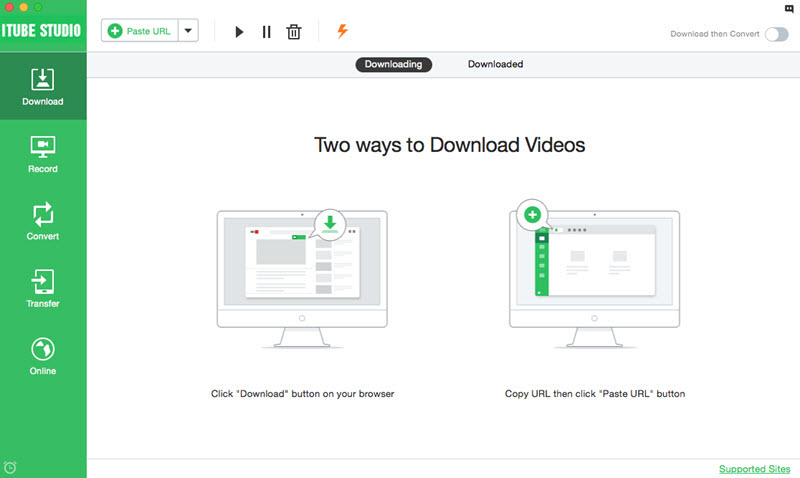
Download and install iTube Studio on your computer with a few clicks. When you finish the installation, the program will launch automatically.
Step 2. Download Christmas movies from any site
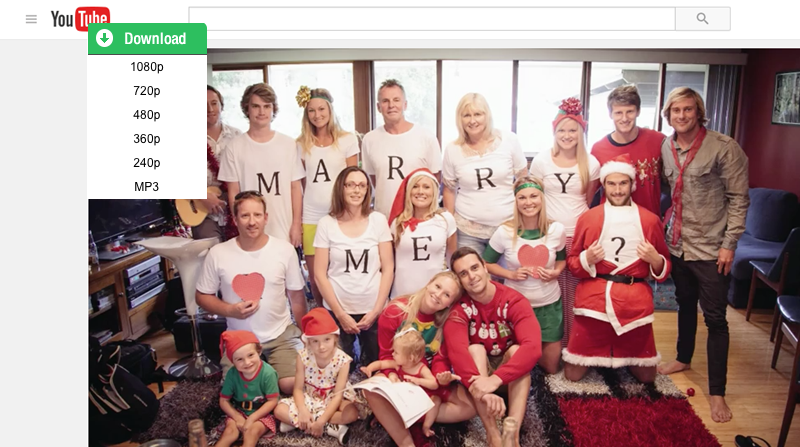
Open your browser to search for the Christmas movie you wish to download. Move cursor over the video to locate the “Download” button enabled by the movie downloader. Click this download button to initiate the download.
Step 3: Convert Christmas movies to MP4
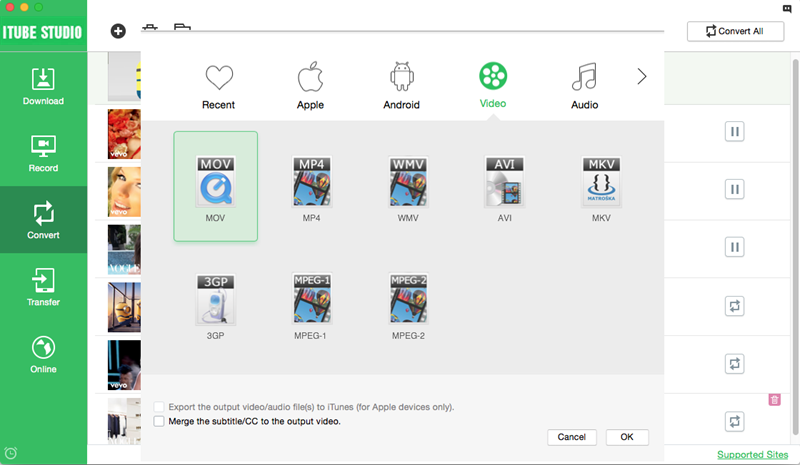
Click the “Downloaded” tab located on the left of the program to view the downloaded movies. On the right side of the video list, you will see a "Add to Convert List" ion. You can click the icon to add the video to the "Convert" tab for video format conversion.